How to use Freebore
Every screen, what it's for, the buttons to press, and where people get stuck. Button names are written the way the app spells them.
Stuck on something this doesn't cover? Write to support@freebore.app.
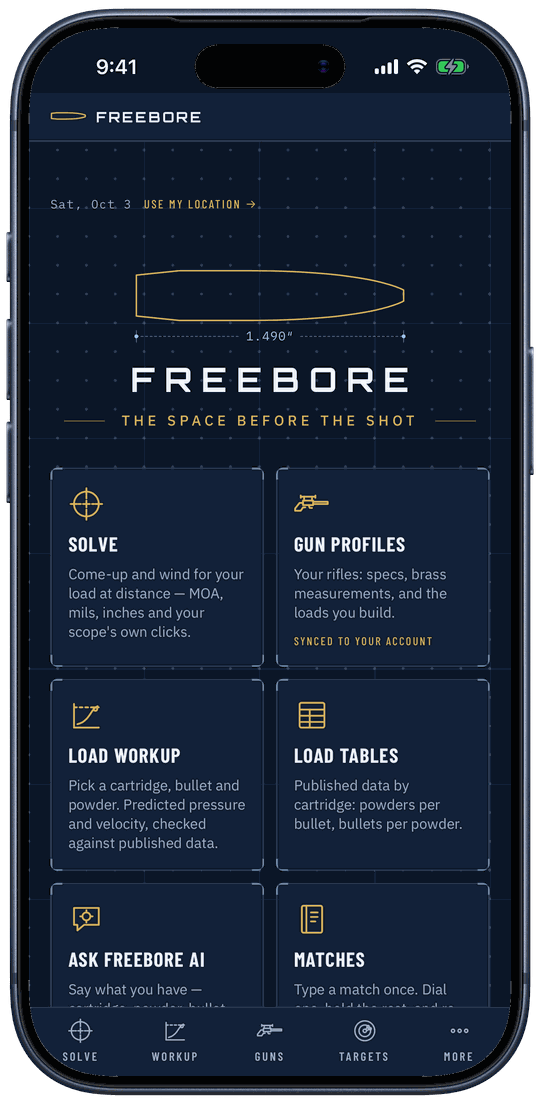
Start here
Five steps from nothing to your first come-up. Everything else in this manual hangs off these.
- Make an account. On freebore.app tap Start the 7-day trial. In the phone app tap Continue with Apple, Continue with Google, or type your email and tap Send code. We email you a six-digit code; type it in and tap Create account. There's no password to make up.
- Start the trial. Seven days free, the whole app. On the iPhone the App Store handles it; on the website it's a card. Details under Subscription.
- Add your rifle. Tap Guns on the bottom bar, then + Add a rifle. Put in the cartridge, barrel length, twist, your scope and zero distance, the bullet and its speed, then Save rifle.
- Open Solve. Tap Solve, tap the rifle at the top, pick the rifle, then pick the load.
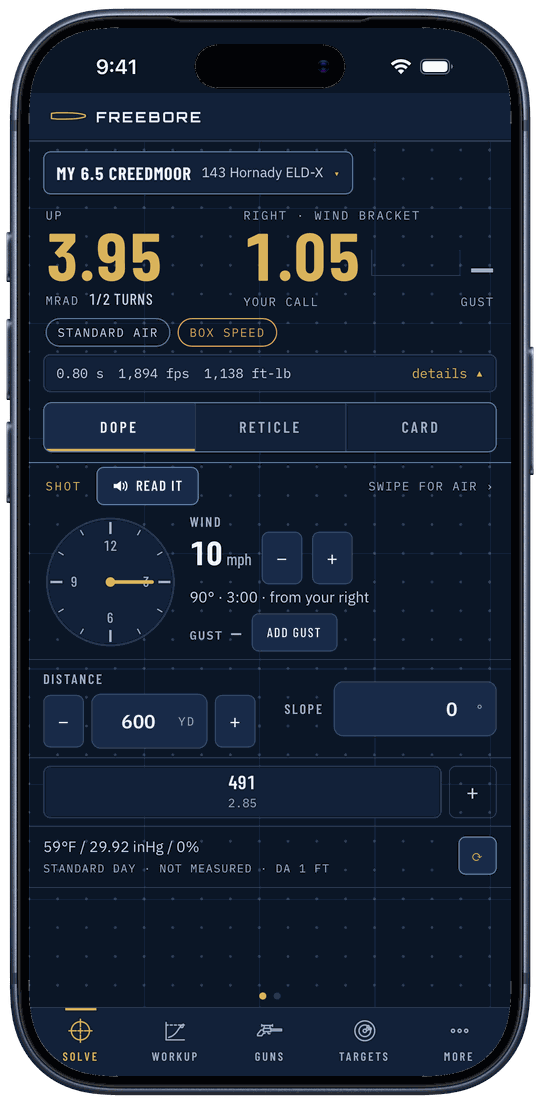
- Get your dope. Set the distance and the wind with the − and + buttons. The big number on the left is your come-up; the right is your wind call. Tap Reticle to see the hold on your own reticle.
Gear
You don't need any gear to use Freebore. Every screen takes typed numbers: temperature, pressure, wind, distance. Meters and watches are optional, and nothing is locked without them.
What each piece adds: a Kestrel fills in the air (temperature, pressure, humidity) and can follow it as it changes. A Calypso feeds live wind speed, and wind direction once you've done its one-time check. An SG Pulse shows cant and angle on the rifle, and the Pro carries your dope. An Apple Watch or Garmin puts the stage or the range card on your wrist. You can run a Kestrel and a Calypso at the same time.
Meters pair in the phone app, over Bluetooth. The website takes typed numbers only.
Solve
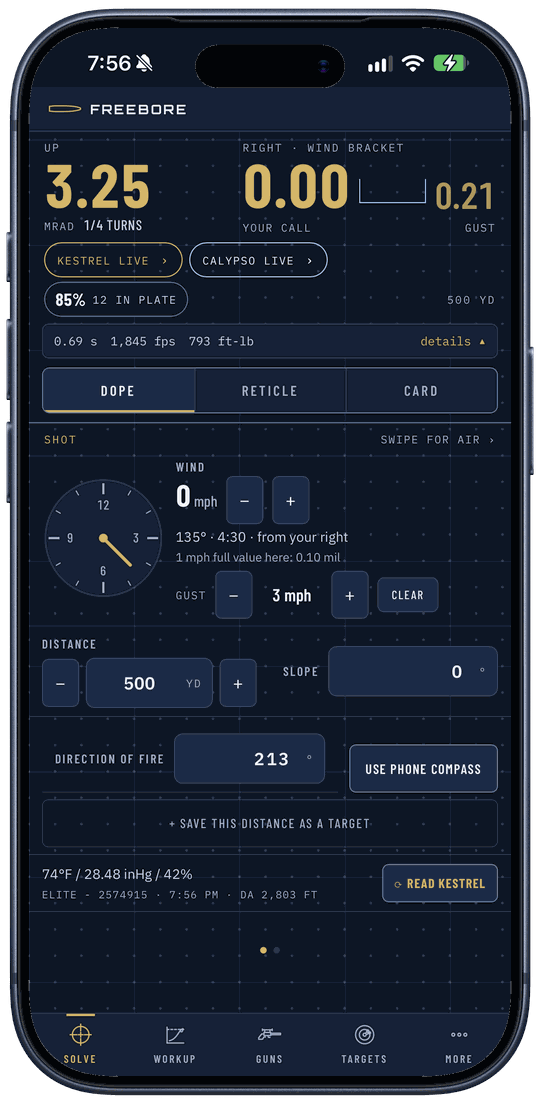
Your rifle, your load, the distance, the wind and the air in; come-up and wind call out, in mils, MOA, inches or clicks. Reticle and Card are two more views of the same shot.
- Tap the rifle at the top (it says Pick a rifle the first time). In Rifle and load tap your rifle, then tap the load.
- Under Distance, use − and + (10 yards a tap), or tap the number and type it.
- Under Wind, use − and + for speed. Tap the clock to set where it's coming from. For a gust, tap Add gust and bring it up with +.
- Tap swipe for air › (or swipe left) for the air. Type the Temperature, Station pressure and Humidity, or tap Local weather for the weather where you're standing, or pair a meter.
- On the phone app, tap Use phone compass next to Direction of fire with the phone pointed down range.
- Read the answer at the top: the big number on the left is up, the right side is your wind call with the gust beside it. Tap details ▴ for every unit side by side, and + Save this distance as a target to keep a distance as a chip.
- No hit chance showing? It needs four things, and the screen tells you which is missing: a group you measured on Targets, a target picked, today's air from a meter or your location (standard air doesn't count), and a gust. Add gust starts the gust equal to the wind, so tap + at least once.
- The chips under the answer are warnings. "standard air", "air 3 h old" and the like mean that input is in the number. Tap one to fix it.
- Local weather sends your position to the weather service and nowhere else. It goes through our server, which doesn't keep it. Hold the phone away from the rifle when you use the compass; the steel throws it off.
Reticle
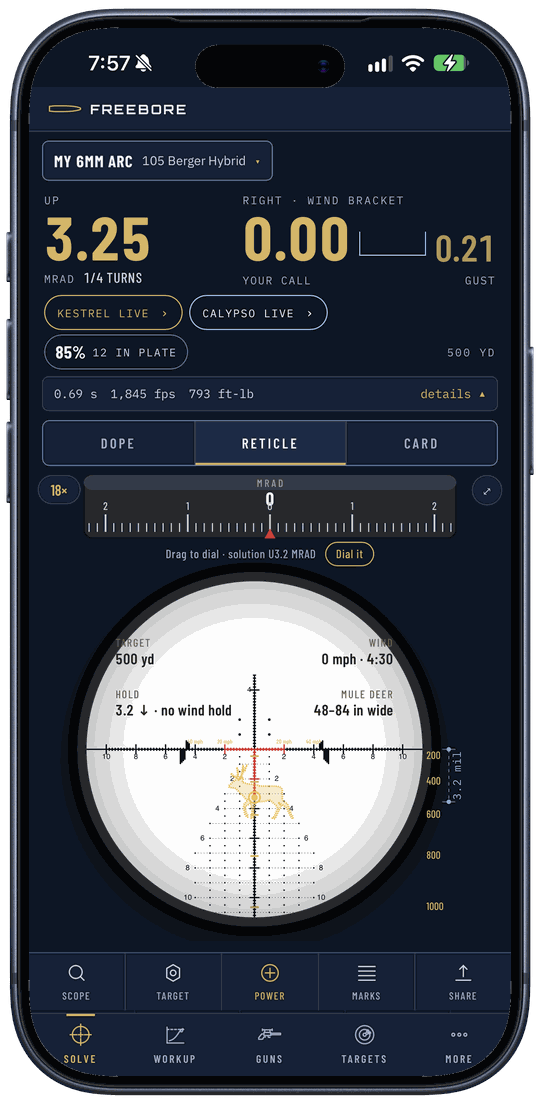
Your scope's reticle with this shot's hold on it, at the power you're running. It draws the shot Solve already worked out; it never solves a second time.
- On Solve, tap Reticle.
- Tap Scope. Choose Pick a scope or Just a reticle, then search by maker, model or reticle name.
- To keep it, tap the Save to button with your rifle's name. Until you do, it's only for this shot.
- Second focal plane? Tap Power and set the magnification you're on.
- Tap Target to put a plate or an animal on the glass at that distance. The yellow dot is your hold.
- Picking isn't saving. Browsing reticles changes the picture only. Tap Save to to put it on the rifle.
- Second focal plane holds are true at one power. Dial to the power the scope note gives, or set the power you're actually on so the picture scales.
- Verified and drawn. Verified means two published numbers checked against each other. Drawn is the maker's own picture scaled by one number, and the glass says so. Animals are body size, broadside, not a vital zone.
Range card
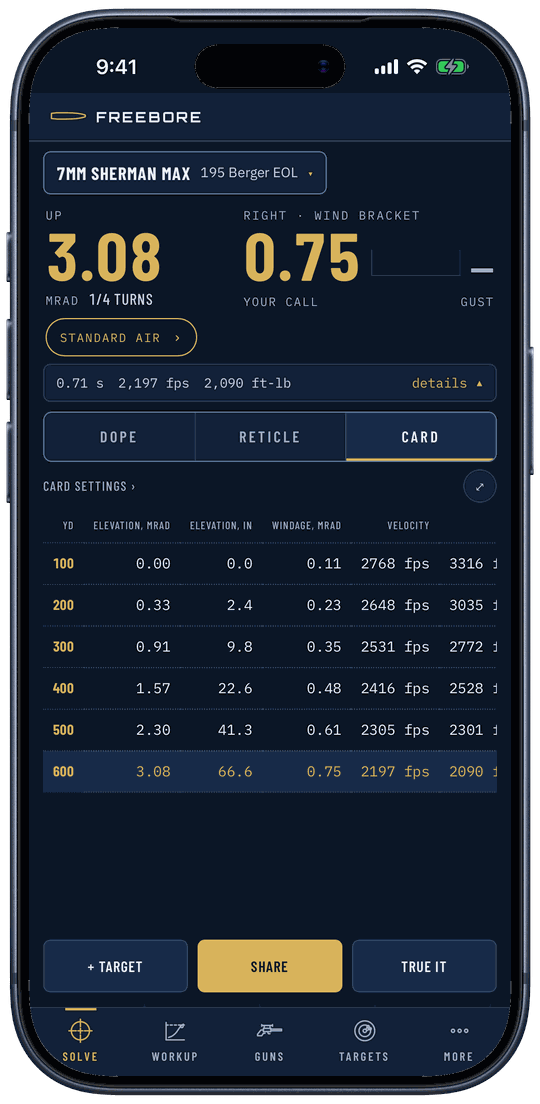
A dope table for the current shot, distance by distance. Tap a row and that distance becomes the shot.
- On Solve, tap Card.
- Tap Card settings › to pick 25, 50 or 100 yard steps, how far out it runs, and which columns show.
- Tap + Target to pin a distance into the table.
- Share or print it from the share button: Print, a picture, or a CSV.
- Hits not landing where the card says? Tap True it. How to do it right is under True it.
- The card has no inputs of its own. Rifle, load, wind and air all come from Solve. Nothing solved, nothing to show.
- Colored rows. Yellow rows: transonic (under Mach 1.2). Orange: subsonic. Holds there are less certain. Rows past where the bullet runs out of flight aren't shown.
- Planning for somewhere else? Plan for another place changes this card only. Solve's air stays as it is.
True it
Your hits at distance aren't where the come-up said. True it takes where your groups actually centered and corrects the one number that's off: the speed, the drag, or the drop far out. Get it right once and every distance on the card moves with it.
- Confirm your zero with a group. A zero that's off shows up as a speed or drag error, and truing will happily bake it in.
- Check your scope dials what it says, then tick Scope tracking checked on the rifle's page or the True it checklist. It's a reminder with the date on it. It changes no number.
- Enter the wind and the air carefully. Today's air, off a meter or typed in; air more than 2 hours old gets flagged. A sloppy truing bakes its error into every come-up after it.
- True on groups, not single shots. Use the center of a group of 3 or more. One shot is not enough to true on.
- Open it. On Solve or the Card tab, tap True it. It opens on the checklist above.
- Where to true. The top line gives this load's window as two distances to true between. Closer than the near end, a 1% speed error moves your come-up less than 0.1 mil, one click on a common mil turret, so the hit can't show it. Past the far end the bullet slows under Mach 1.2, heading for the speed of sound, and its flight gets erratic. A subsonic load has no far end: true at any distance where you can read the drop.
- Check the speed it's using. The speed line says where the number came from and how many shots are behind it. Chronographed more than one string? The latest string's average shows there with a button to use it. Use it before you pick what to true, and the pick usually moves to drag.
- What to true. Pick Speed, Drag or Drop scale. The rule: speed if no chrono ran while you shot the string; drag if one did, because then the speed is known and the miss is drag; drop scale if you're on at your truing distance but off farther out. The one marked recommended is Freebore's pick, with the reason under it. You can press any of the three; pick one it wouldn't and it tells you why and which it would true.
- The hits. Tap Next: enter your hits. Up to three distances. For each, put in what you dialed or held for the center of the group to land on the aim point, in mils or MOA. Tap Calculate.
- The result. Before anything saves, it prints the correction as a number: a speed change in fps, a drag change as a percent on the BC, or a drop scale pinned at a distance. When speed and drag could both explain your hits, it shows both side by side, with what each does at your farthest hit and at 1.5 times that distance. Both are on where you shot; they part company farther out, and the wrong one gets worse the farther you go. Tap the one you want.
- Apply. Tap Apply and Solve and the card use it at once, and the rifle's page shows what was trued, by how much, at what distance and on what date, with a Clear beside it. Not now leaves everything as it was. Use today only runs it for today without touching the load.
- Next trip. Once you've trued drag off a chronographed speed, the drag stays. Re-true the speed each trip: it moves with temperature and barrel fouling.
- 1 to 3% drag is normal once the speed is right. More than 3% on a catalog bullet and a speed error is the likelier cause. The result says so and shows the speed truing of the same hits beside it.
- Under 5 chrono shots is a thin average. So is a string with no SD on file. A drag truing on top of a thin average trues the speed error into the drag. Shoot a longer string, or true speed.
- Drag is nearly useless on a subsonic load. Under 1,100 fps at the muzzle, drag barely moves the trajectory, so Freebore never picks it there.
- A drop scale is for the slow end. Only hits where the bullet is under Mach 1.2 count; faster than that it changes nothing.
- It says Check your inputs first. Your hit missed Solve by more than half a mil, or 4% of the come-up if that's bigger. A miss that big is almost always an input, not the bullet: distance, zero, shooting angle, air, scope height, or a scope that doesn't track. Fix it and shoot again. True it anyway is there, but it trues the mistake.
- The button says Apply for today. That truing can't be kept on the load: a typed-in load, a speed truing on a speed you chronographed (shoot a longer string instead), or a drag truing on a bullet whose BC was measured in testing. A drop scale needs a saved rifle and load.
- One distance can't tell speed from drag. Add a second, farther hit and it checks one against the other.
- Where's the scope tracking test? Gone. Most modern scopes track, and the test confused more shooters than it helped, so it's a tick now. Check your scope your own way, then tick it. A tracking number saved on a rifle before is no longer used: a correction you can't see or re-test has no business moving your come-up.
Workup
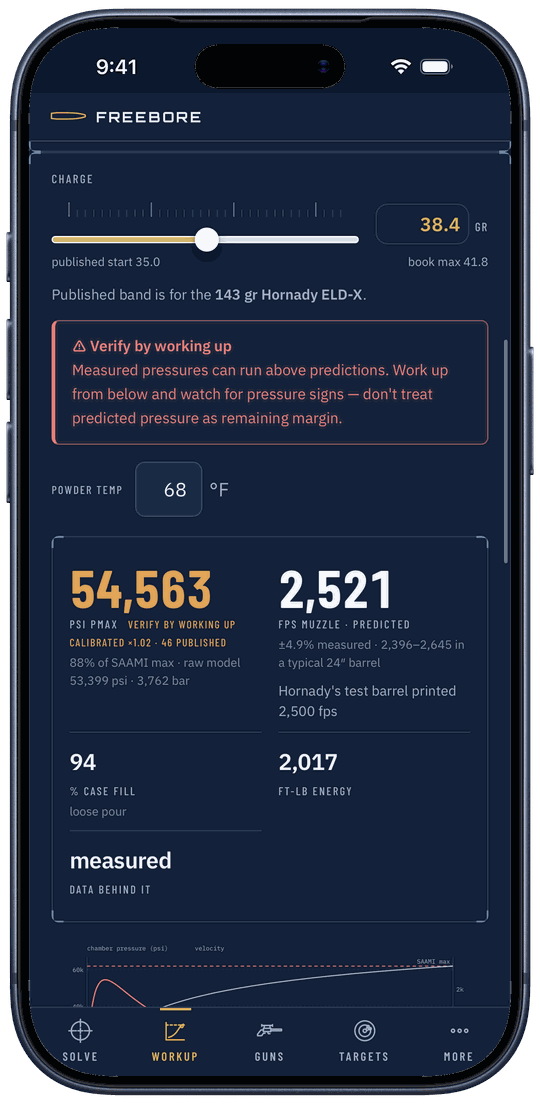
Load development on paper before you load a round. Pick the cartridge, bullet and powder, set the charge, and it gives you peak pressure, muzzle velocity and case fill, with the book's rows for that combo underneath.
- Tap Workup. Pick the Cartridge, Bullet and Powder.
- Not sure on powder? Tap ▾ Compare powders for this load and it ranks every powder it can run for that bullet. Tap one to use it.
- Under Your round, check the case capacity. If you've measured yours, tap Measure yours →. Set Barrel length and COAL (seating depth moves with it).
- Move the Charge slider, or type the charge. Pressure, velocity, case fill and energy update as you go.
- Tap Save load (it carries your rifle's name) to put it on the rifle.
- No case capacity, no prediction. Where none is on file, the numbers are left blank rather than guessed. Measure yours (water, fired brass) and put it in.
- COAL is for your bullet. The published length may be for a different bullet. Set it to what you actually load. Seating depth needs a published bullet length.
- It's an estimate, not a pressure gauge. Start low, work up, watch for pressure signs. The book max shown is the book's, for its rifle.
Guns
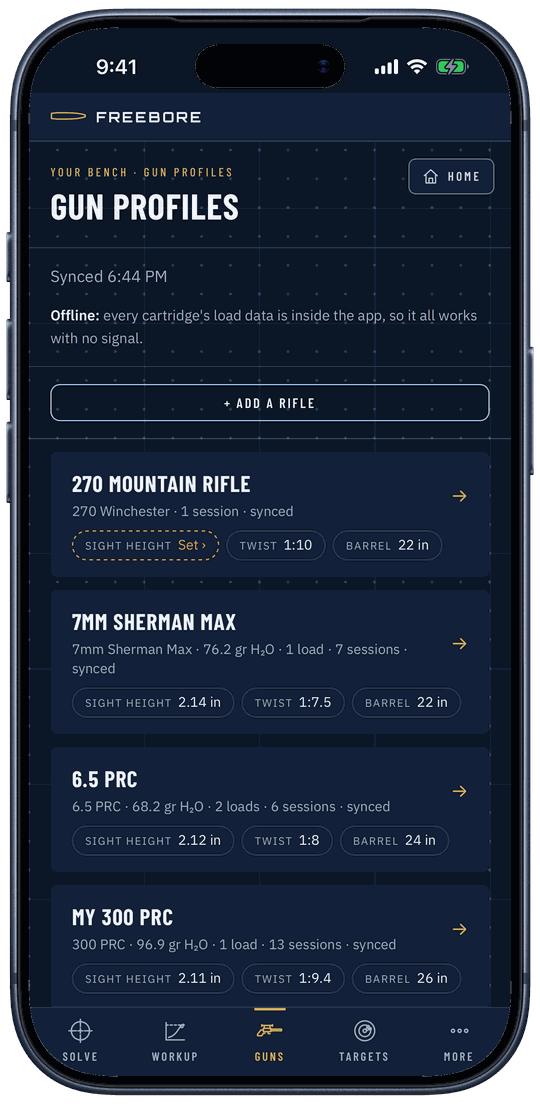
Your rifles: barrel, twist, scope, zero, suppressor and your own brass measurements, with the loads you shoot in each. Solve, Workup and Targets all read from here.
- Tap Guns, then + Add a rifle.
- Under the rifle: Name, Cartridge, Barrel length, Twist.
- Under the scope: start typing your scope's maker or model. Then Scope height (tap Work it out if you don't know it) and Zero distance.
- Under the ammo: pick the Bullet and give its speed, Chronographed or Printed on the box.
- Tap Save rifle. More loads go on the rifle's page: Factory ammunition, Scan a box, or Work up a handload.
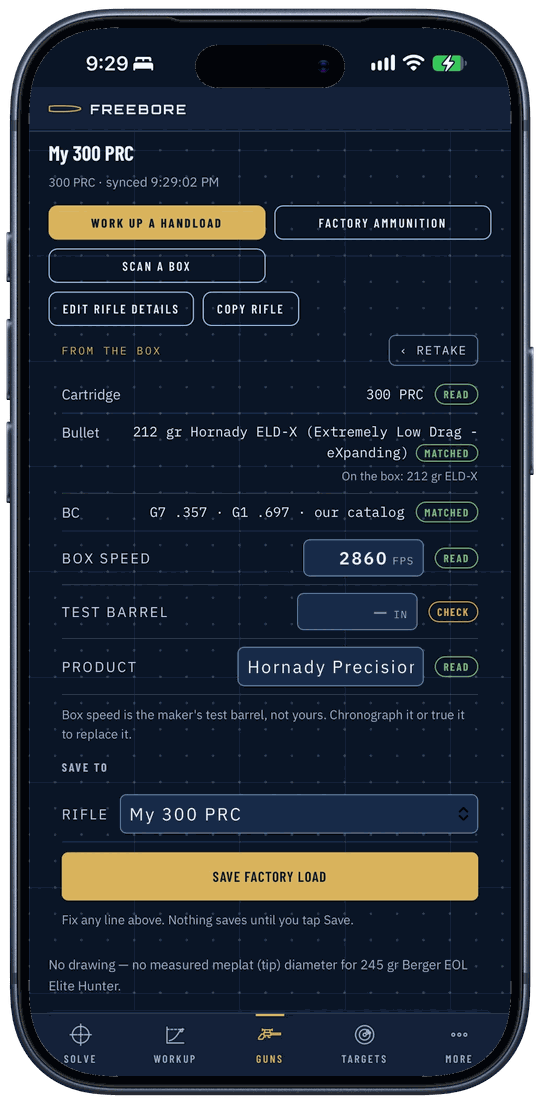
- Box speed is the maker's test barrel, not yours. Chrono it, or true it, and the number gets better.
- The extra details are optional but they count. More details (optional) holds scope turrets, the air you zeroed in, your brass, and round count. Click values live under the scope turrets; without one there are no clicks.
- Suppressor shifts zero? Open the load and use Suppressor offset to save how far it moves.
Scan a box
Shooting factory ammo? Take a picture of the box and it reads the cartridge, bullet and box speed off it. You check every line before anything saves.
- Open your rifle on Guns and tap Scan a box.
- Fit the side with the speed table in the frame, straight on, no glare, and tap Take picture. (Or use a photo you already took.)
- Check each line. Each is marked read, matched or check; fix any that are wrong.
- Tap Save factory load.
- Glare and folded flaps. If it couldn't read everything, retake it straight on, or fill in the lines marked check. On the iPhone you can also tap Ask Freebore AI to read it (needs a signal and your OK first).
- The BC comes from our bullet list, not the box. If it can't match the bullet, it asks you to pick it.
- Wrong rifle. It won't save a 6.5 Creedmoor box onto a .308. Pick the rifle under Save to.
Targets
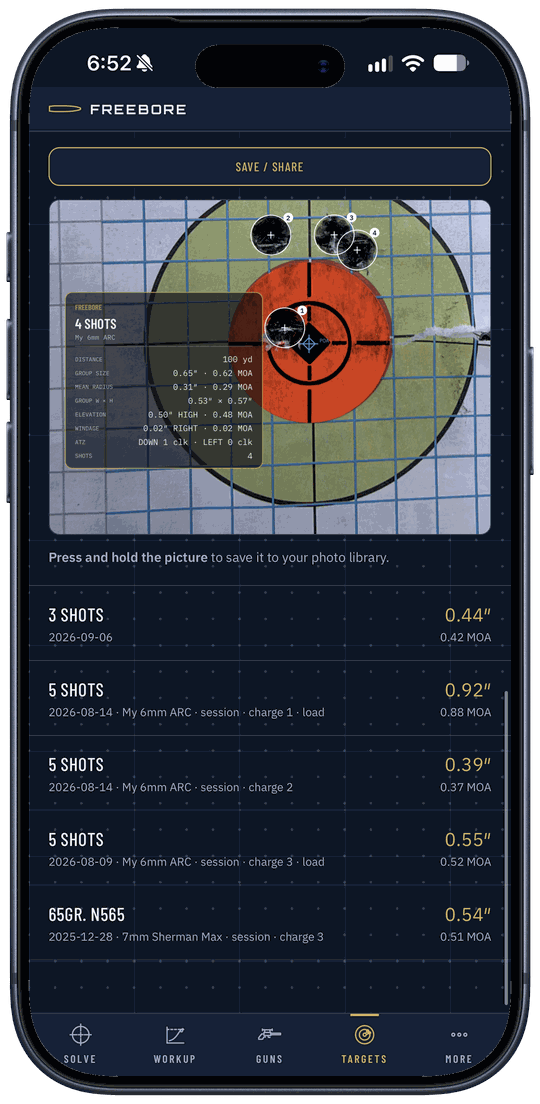
Measure a group from a photo: group size, mean radius, width and height, and the clicks to zero. The groups you save here are what Solve's hit chance runs on.
- Tap Targets, then Measure a photo. Take photo or Choose from library.
- Crop and straighten, then mark both ends of a known length (a 1″ grid square works).
- Set the distance and the caliber, then put the crosshair on your aim point.
- Drive the photo until the circle hugs a hole, tap Mark impact, repeat for every hole, then Next ›.
- Read the results, add the rifle and load, and tap Save group. Measured it with calipers instead? Use Type the numbers.
- Put in the distance. With no distance it can't give MOA or clicks to zero, and hit chance can't use the group.
- Two holes at least, and pick the caliber. The circle is drawn at true bullet diameter, so it needs the caliber.
- Typed numbers give the spread only. No width, height or mean radius. Mark the photo if you want those.
Matches
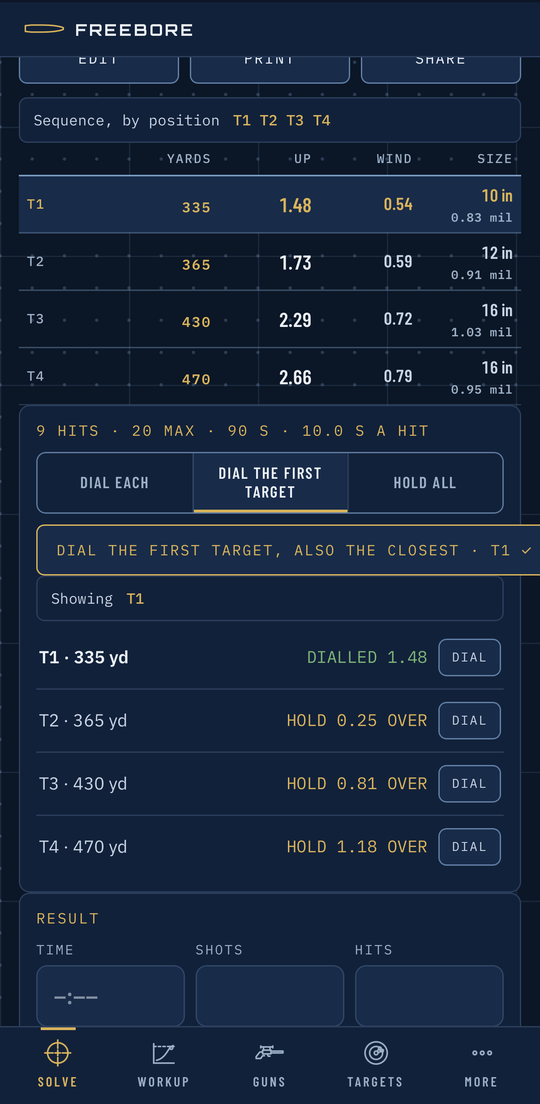
Type a match once: stages, targets, distances, plate sizes, the order you shoot them. Each stage card solves every target in today's air: dial the first target and it gives you the hold for every other one.
- Tap More, then Matches, then + New match. Choose Type it, Scan a sheet or Upload a PDF.
- Give it a Name and Date, then + New stage.
- Under Quick add type the distances in one line, sizes with an inch mark:
400 515 640 780or710 12". Tap Add, then Save stage. - Open the stage. Pick Dial each, Dial the first target or Hold all. Tap a distance to fix it off your laser.
- After the stage, fill in Result. To send the match to your squad, tap Share, then Copy link.
- A plain number is a distance. "710 12" is two distances. Put the inch mark on sizes: 710 12".
- Scanning reads the course of fire, never dope. It needs a signal, leaves blanks blank, and only offers handwriting for you to tap. Scan the book the night before.
- A share link carries names, distances and sizes only. Your rifle, dope and air stay on your phone; whoever opens it solves with their own. The Hit column shows only once you have measured groups.
Kestrel
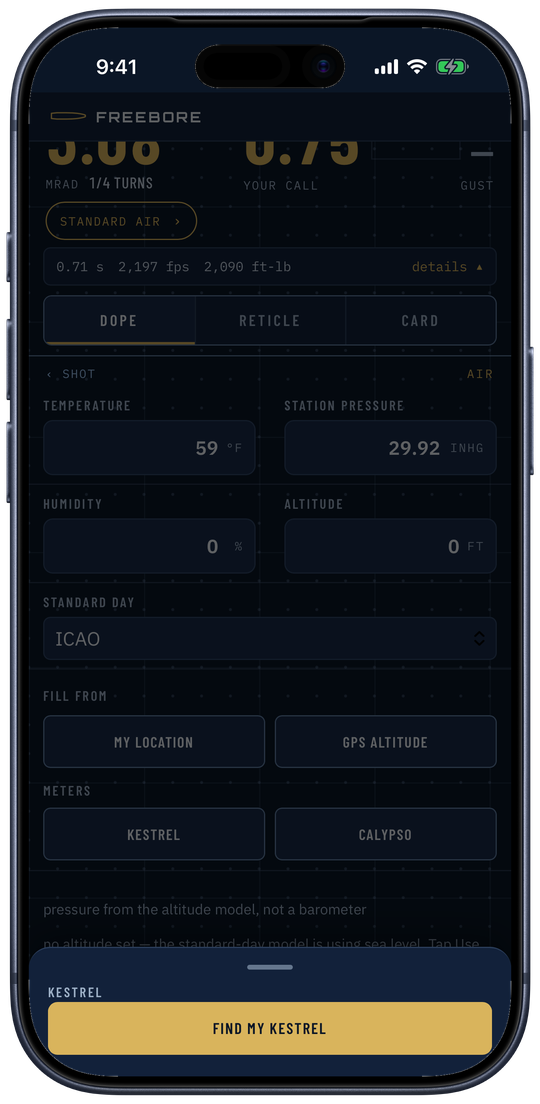
Pair a Kestrel 5-series and it fills Solve's air: temperature, station pressure, humidity, and wind if you want it. Follow keeps the air current while you shoot.
- On the Kestrel: Bluetooth on, connection set to PC/Mobile, PIN and privacy mode off.
- In the phone app, on Solve, tap swipe for air ›, then Kestrel under Meters. Or go to Settings › Meters · Kestrel air, next to the Calypso.
- Tap Find my Kestrel and tap your meter in the list.
- Tap Use this air. For the Kestrel's wind too, tap Use this wind.
- To keep it updating, pick a Follow time: 5 s, 15 s, 30 s or 60 s. Solve shows Kestrel live while it's following.
- Calibrate the Kestrel's compass outdoors, away from the house, the truck, the rifle and your phone. Calibrated indoors by the house, ours ended up almost 40° off. Direction of fire always comes from the phone's compass on Solve; the Kestrel's heading only says where the wind is from.
- Follow only runs while Freebore is on screen. Lock the phone or switch apps and it holds the last reading. If it says Wake the Kestrel., do that.
- Nothing found? Wake it, turn its Bluetooth on, try again. A PIN or privacy mode on the Kestrel blocks the readings. Keep it out of your hand and the sun while it follows.
Calypso
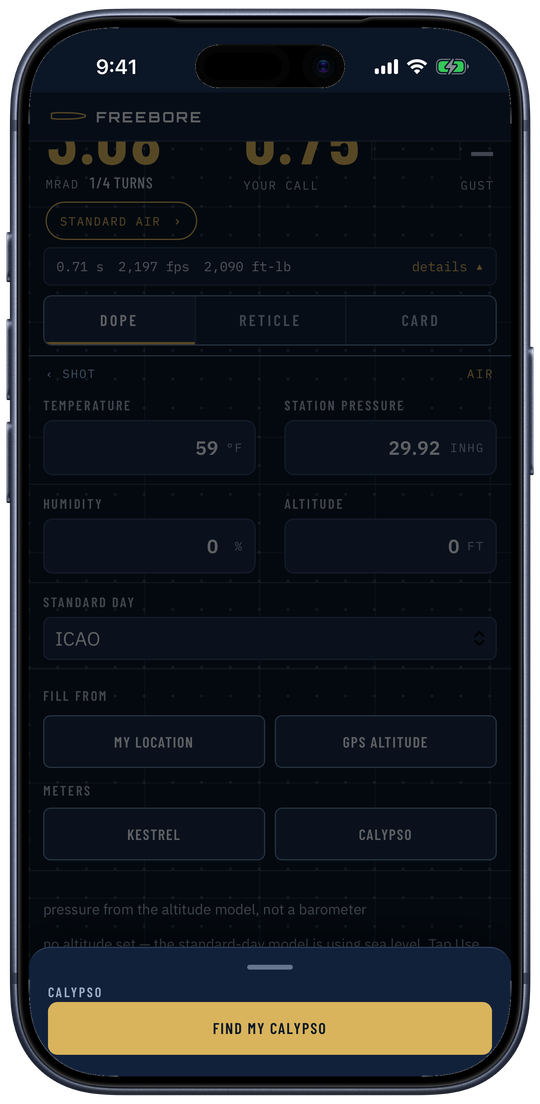
Pair a Calypso wind meter and Solve's wind speed and direction follow it, live. Nothing to set: keep its arrow on the target.
- Close the Calypso's own phone app first. Then on Solve tap swipe for air ›, then Calypso.
- Tap Find my Calypso.
- Pick a Follow choice. Live takes every reading, about once a second; the timed ones average the speed over the window.
- Point the Calypso's arrow at the target, the same way you point the phone for direction of fire. The wind clock turns with the meter: wind off the arrow's right reads 3 o'clock.
- Lock the wind holds what you've got while you break the shot.
- The arrow is the only thing that matters. If it drifts off the target, the wind clock drifts with it.
- Direction of fire still comes from the phone. Set it with the phone's compass on Solve; the Calypso never sets it.
- Some special-edition Calypsos are locked by their maker and can't be read.
SG Pulse
The SG Pulse sits on the rifle and shows cant and angle. The Pulse Pro also carries your dope: the range card or the whole stage, on the unit.
- In the phone app, tap More, then Settings. Under Meters · SG Pulse tap Find my SG Pulse.
- When the iPhone asks to pair, tap Pair.
- Hold the rifle level, tap Zero angle, then Rifle is level · zero now.
- Pro: tap Send range card to Pulse, or on a stage card tap Ready this stage. Send whole match to Pulse loads every stage at once.
- The first connect needs the iPhone's Pair prompt. The unit blinks blue until you accept it.
- Moved a plate after sending? The card says Dope changed since you sent it. Tap Ready this stage. Do that, or the Pulse has the old numbers.
- Dope cards and the timer need a Pulse Pro. A plain Pulse does cant and angle. Angle means nothing until you've zeroed it on this rifle.
Apple Watch
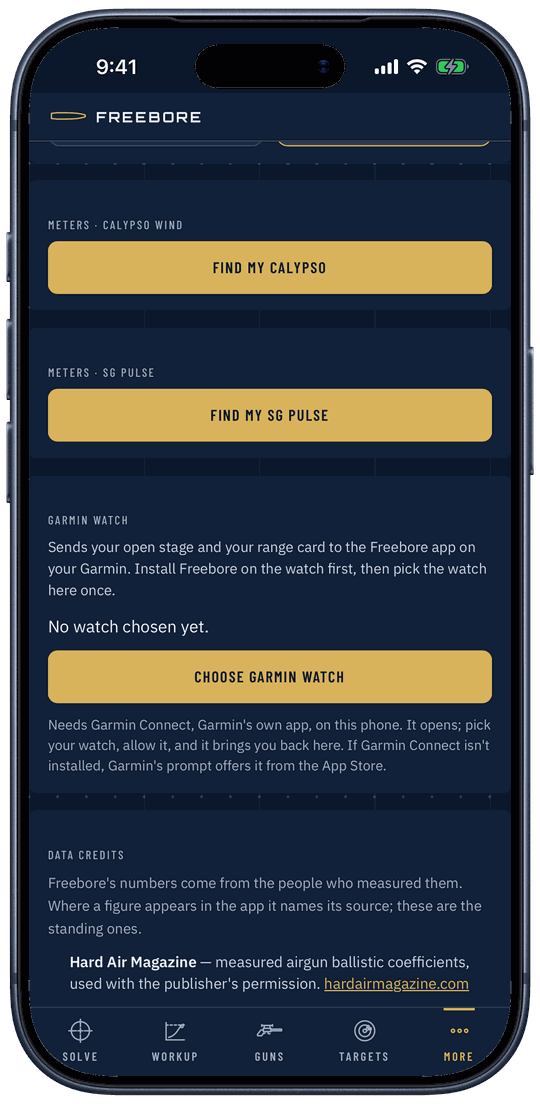
The open stage or your range card on your wrist. The watch shows what the iPhone sends; there's nothing to set on it.
- Install Freebore on the iPhone; the watch app comes with it.
- On the iPhone, open a stage under Matches, or open Solve on a rifle.
- Open Freebore on the watch. A stage shows its targets first, then the facts; Solve sends the range card.
- Want it on the face? Add a Freebore complication: Range card, Stage target, Current hold, Density altitude or Rifle and load.
- It drops back to the watch face. That's the watch, not a crash. On the watch: Settings, Display & Brightness, Always On, Show Apps, Freebore on. Then Settings, General, Return to Clock, Freebore, and set the longest time it offers.
- Blank watch? It says Open a stage or Solve on your iPhone. Do that with the watch nearby.
- Signing out on the iPhone clears the watch. The stage stays on the watch after you leave it, until a new one replaces it.
Garmin
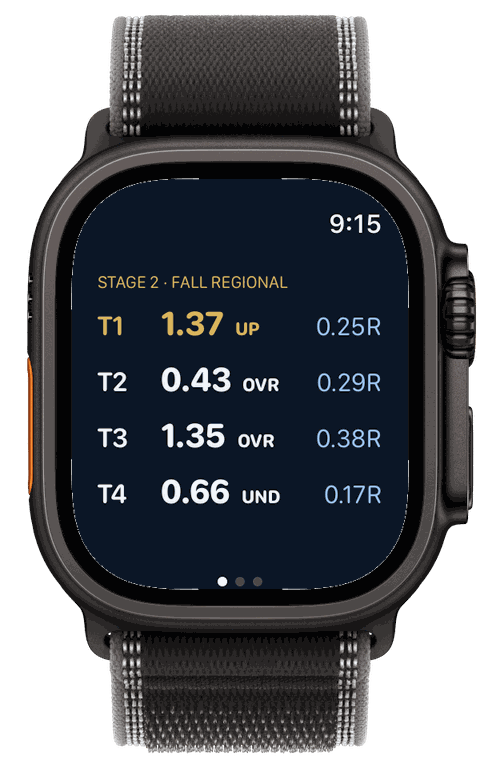
Sends the open stage and your range card to the Freebore app on a Garmin watch. It needs Garmin Connect, Garmin's own app, on the phone.
- Install Freebore on the Garmin watch from Garmin's Connect IQ store.
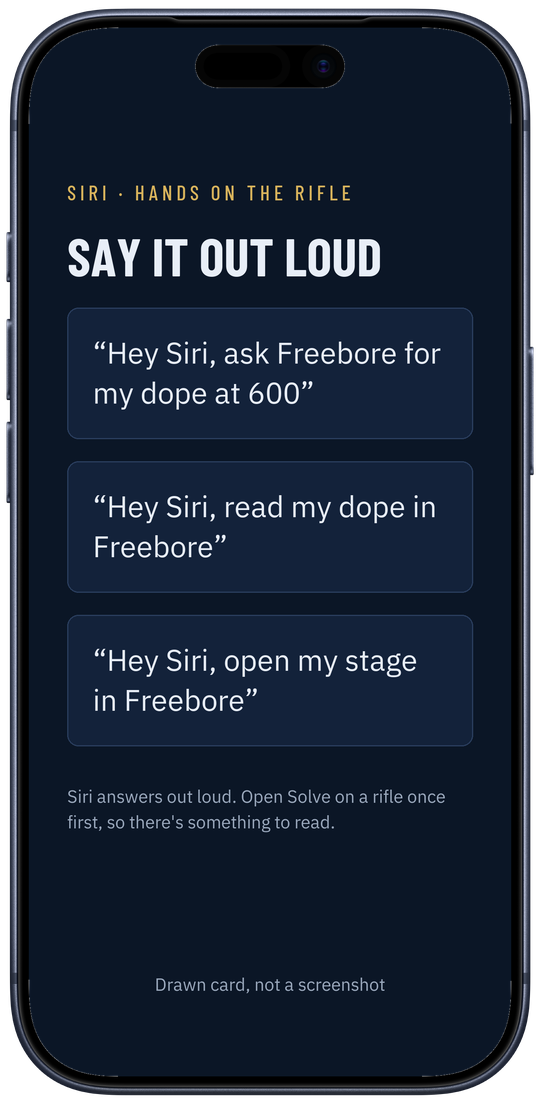
- In the phone app: More, Settings, then under Garmin watch tap Choose Garmin watch.
- Garmin Connect opens. Pick your watch, allow it, and it brings you back.
- Open a stage or Solve on the phone, then Freebore on the watch.
- The Garmin app isn't public in Connect IQ yet. It's in a private test. This section is written for when it's listed.
- No Garmin Connect, no link. If it isn't on the phone, Garmin's prompt offers it.
- Blank watch? It says Open Solve on your iPhone. Open Solve or a stage first, and check Settings says the watch is connected.
Siri
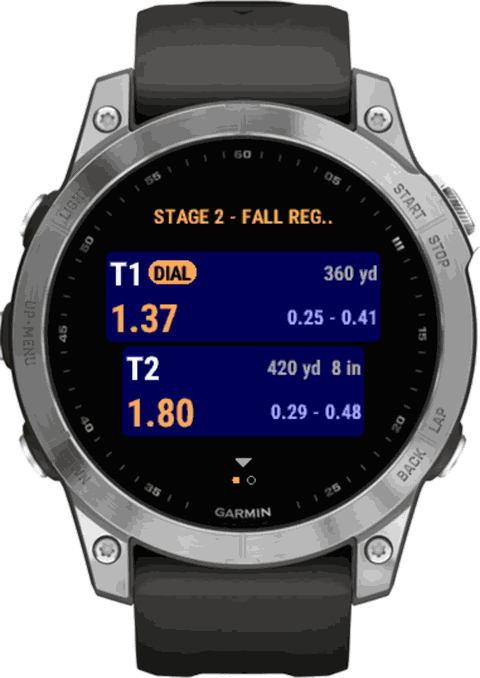
Hands on the rifle, ask Siri for your dope and it reads it back without opening the app. Nothing to set up.
- Open Solve on your rifle once, so the phone has something to read.
- Say "Hey Siri, ask Freebore for my dope at 600". It answers out loud.
- Other things you can say: "Read my dope in Freebore", "Next stage in Freebore", "Previous stage in Freebore", "Open my stage in Freebore".
- "Open Freebore and pick a rifle first." Siri has nothing to read yet. Open Solve on a rifle, then ask again.
- Start with the app's name. Say "Ask Freebore…" or "Freebore dope at…" so Siri doesn't hand it to another app.
- Needs iOS 17 or later. Signing out drops what Siri reads.
Account
One account for the iPhone, iPad, Apple Watch and freebore.app. Your rifles, loads, groups and matches sync between them, and a copy stays on the phone for the range.
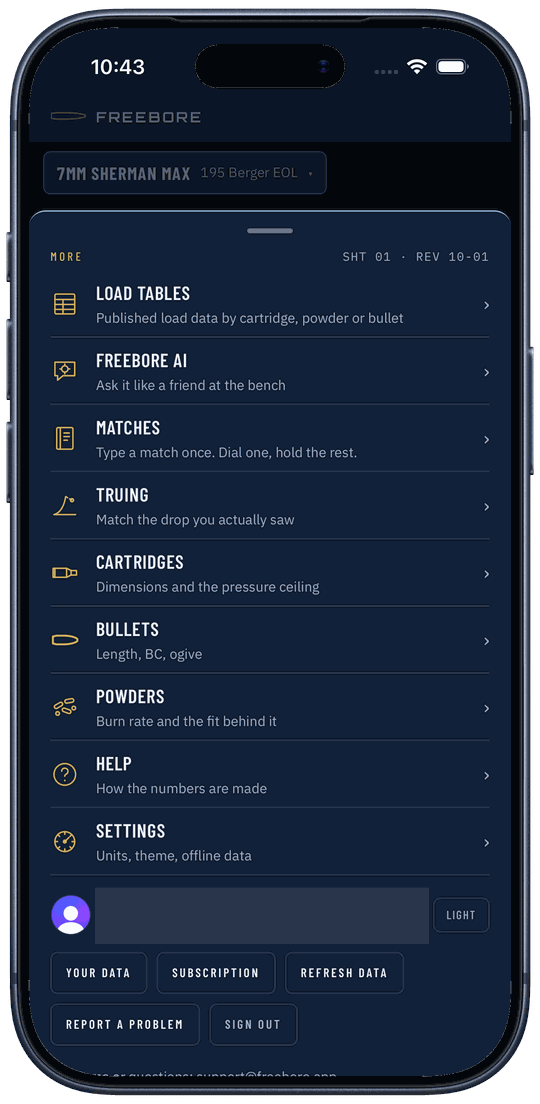
- Tap More. The account buttons are at the bottom.
- Your data: download a copy, delete your data, or delete the account.
- Refresh data pulls the latest from your account now.
- Report a problem opens an email to us with the build, phone and your last Solve inputs filled in. Nothing sends until you tap Send.
- Light or Dark switches the look.
- Two different deletes. Delete all my data keeps the account. Delete my account removes everything. Both need you to type DELETE. No sign-in? See how to delete your account.
- Deleting the account doesn't stop Apple billing. Cancel the App Store subscription first, in the iPhone's Settings.
- The first sign-in on a device needs a signal. After that it works offline for 30 days at a time.
Subscription
$5.99 a month or $54 a year, with 7 days free. One subscription covers iPhone, iPad, Apple Watch and freebore.app. It pays for the data and the engine being kept current.
- iPhone: after you sign up, pick Yearly or Monthly and start the free trial. Apple charges when the trial ends unless you cancel.
- Website: pick a plan and put in a card. The first charge comes when the trial ends.
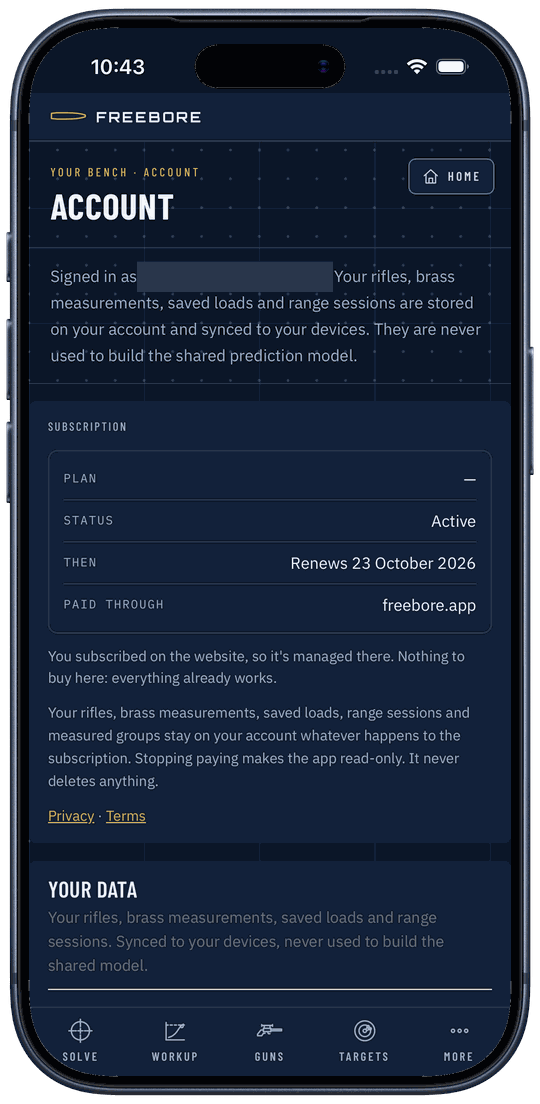
- See what you're on: More, then Subscription.
- Cancel on the iPhone: the iPhone's Settings, your name, Subscriptions. Paid on the website: Manage subscription.
- New phone, same Apple account? Tap Restore purchases.
- A lapsed subscription goes read-only. Everything you saved stays and you can read it; you just can't add or change anything until you subscribe again. Nothing is ever deleted.
- Paid on the website? Sign in on the phone with the same account and it already works. Nothing to buy twice.
- Pay through one place. If you subscribe on both, the app warns you you're paying twice; cancel one.
No signal
Freebore is built for the range. Every cartridge's load data is inside the phone app, and your rifles and matches are saved on the phone, so it all works with no signal.
- Nothing to do. Sign in once with a signal and the app keeps working without one.
- Change things offline as usual. They sync to your account on their own when the signal comes back.
- Back in signal and want it now? More, Refresh data.
- What needs a signal: the first sign-in on a device, Local weather, Freebore AI, and scanning a match sheet. Scan a box works offline on the iPhone.
- "Not synced yet" means it's saved on the phone and waiting for a signal. It isn't lost.
- On the website only the cartridges you've opened are kept. The phone app has them all.
Units
US or metric, for everything at once. Mils or MOA comes from your scope, not from this switch.
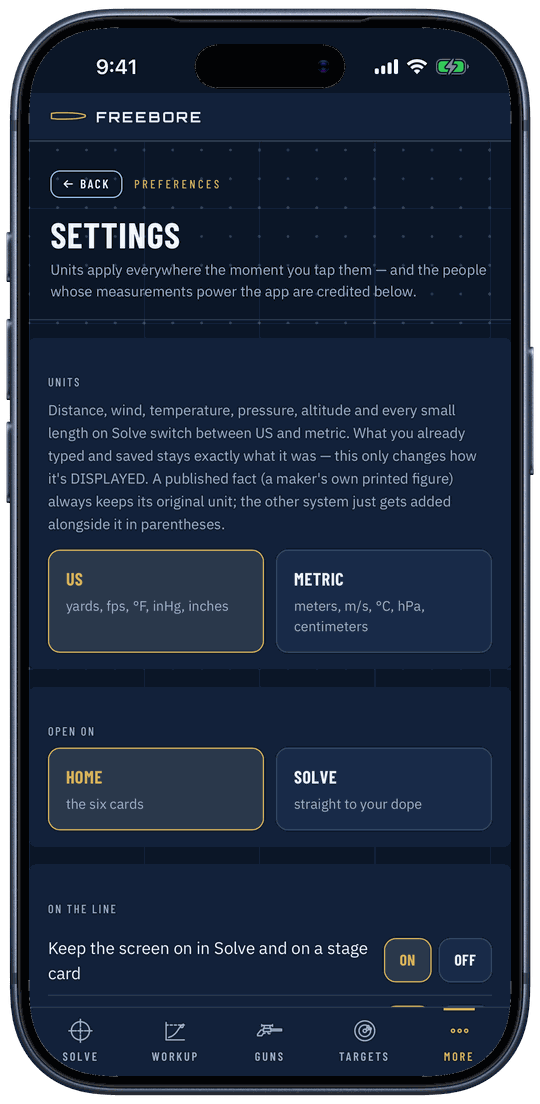
- More, then Settings.
- Under Units tap US (yards, fps, °F, inHg, inches) or Metric (meters, m/s, °C, hPa, centimeters).
- Mils or MOA: the big number on Solve follows your scope's turrets. Tap details ▴ to see MOA, mils, inches and clicks side by side.
- Switching changes what you see, not what you saved. Numbers you typed are kept as typed.
- No clicks column? Put the click value on the rifle's scope (Guns, More details, scope turrets).
- Settings is also where you set what the app opens on, keep the screen on in Solve, and turn Freebore AI off.
Where the numbers come from
This manual is the how. The why (book rows next to our predictions, where a max charge comes from, what "close match" means, verified reticles) is on one page.
How Freebore knows what it knows →
Every number Freebore predicts (pressure, speed, drop, wind) is an estimate from a model and published data. It is no substitute for a pressure gauge. Work up from a current published starting charge, watching for pressure signs. You are responsible for every round you load and fire.